Add Tokens to ShibaSwap
If you would like to add a new token to ShibaSwap, you need to create a new pool and include your token in that particular pair. You can create a completely new pair, by adding 2 tokens to ShibaSwap or use one of the available tokens to compose the new pair.
Adding a New Token
- Access ShibaSwap website and connect your wallet.
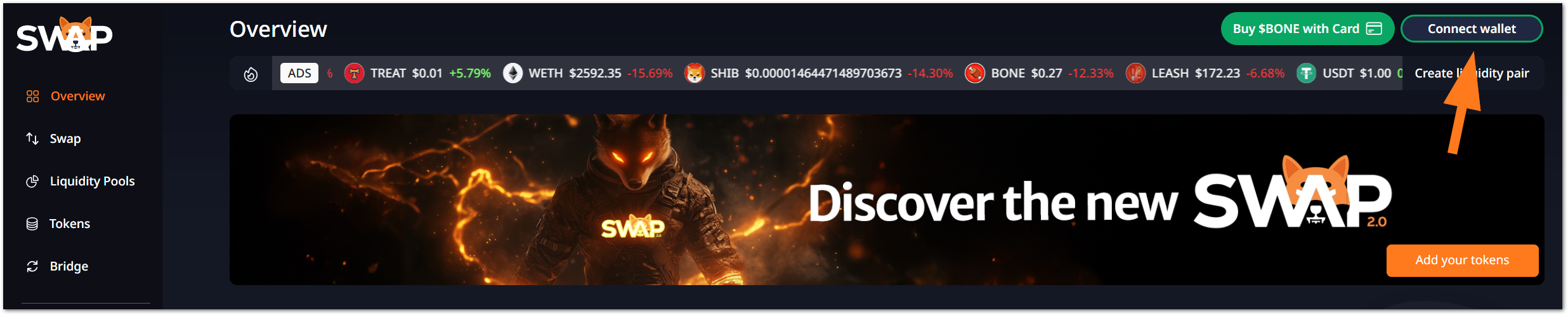
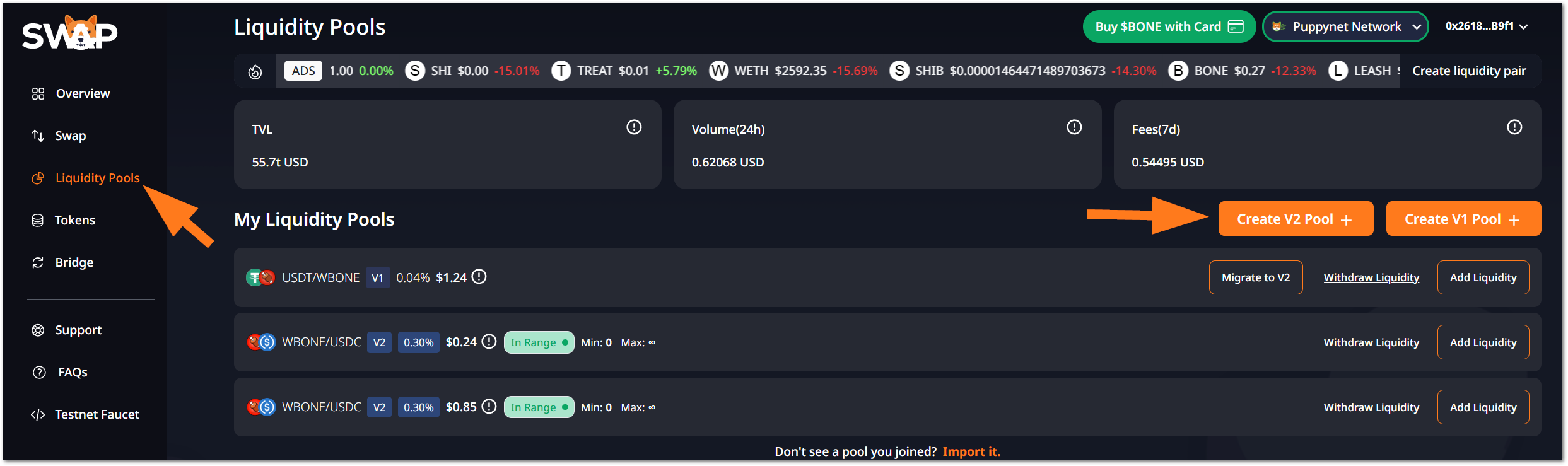
- Go to Liquidity Pools on the left menu and find the Create V2 Pool button on your right.
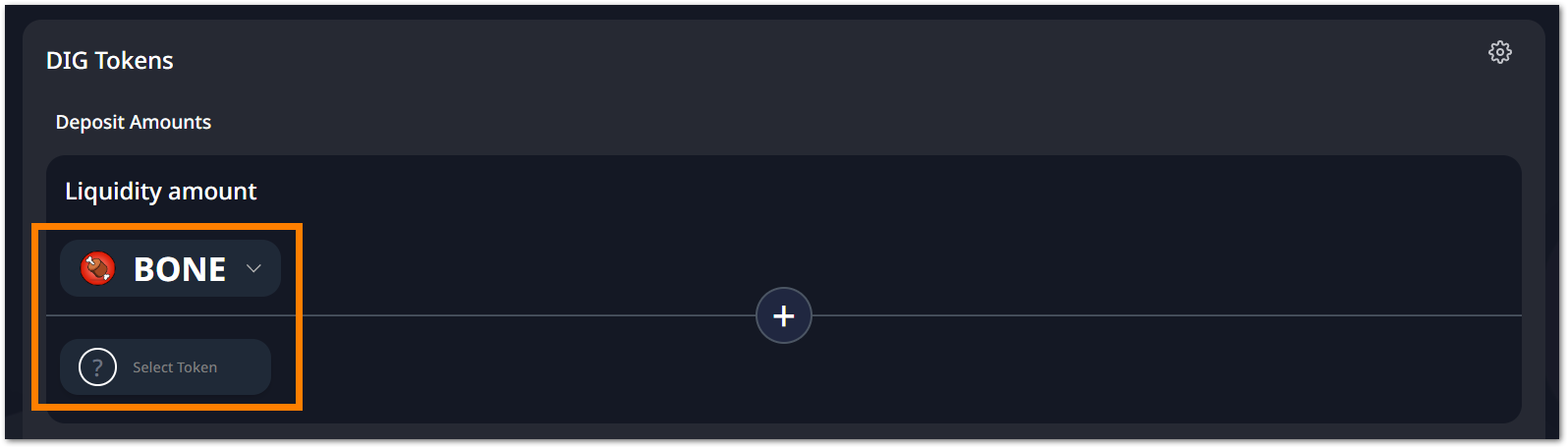
- As we stated before, to add a new token to ShibaSwap, you need to create a new trading pool. You can either utilize one of the available tokens to create a new pair or add 2 new tokens to create a completely new pair. In this example, we are pairing a test custom token with Shiba Inu BONE, leveraging Shibarium testnet, Puppynet. To do that, choose BONE for one of the tokens and click on Select Token for the custom one.
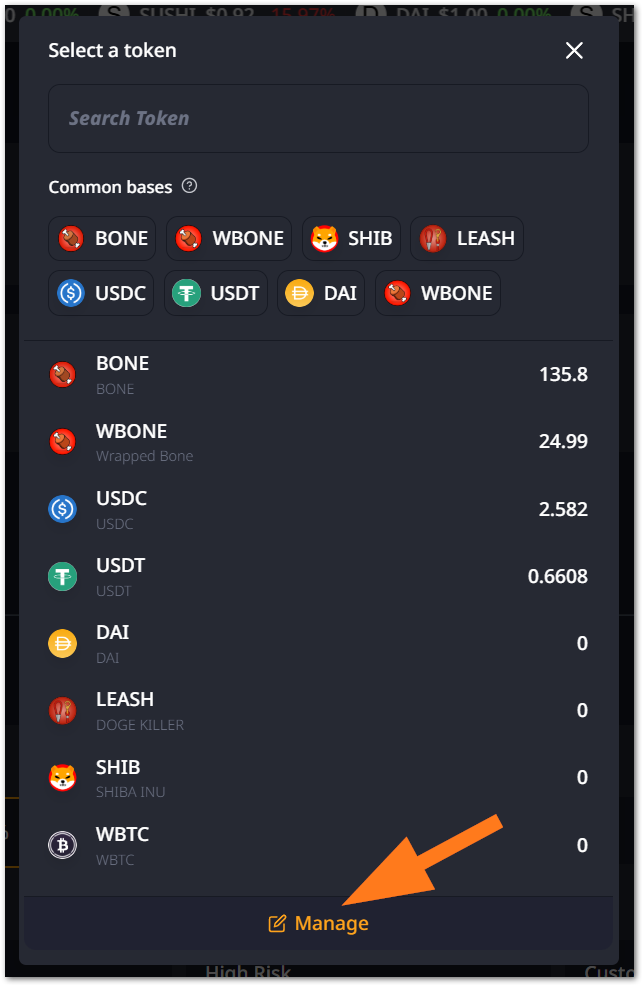
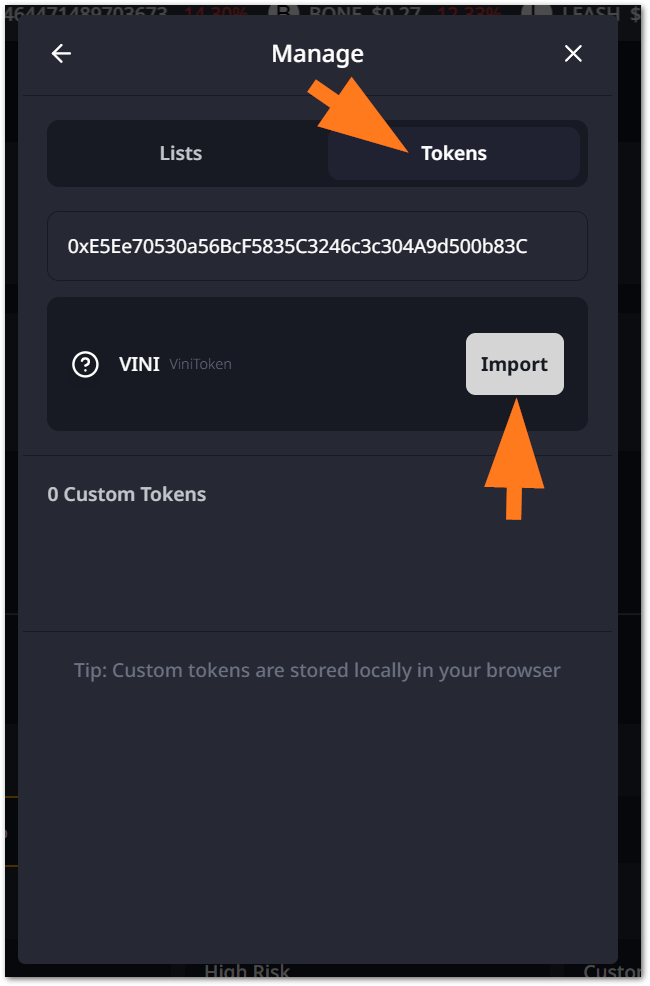
- You will see a list of available tokens with which you can create a new pair with BONE. However, in this tutorial, we would like to add a new custom token, so click on Manage. The Manage section gives you 2 options: acquire a token list from another provider, CoinGecko, for instance, or add specific tokens. Click on Tokens, paste the new token address and import it.
DYOR
ShibaSwap alerts you to Do Your Own Research before actually adding a new token. It is important to know if the project you are adding is legitimate to avoid falling for scams.
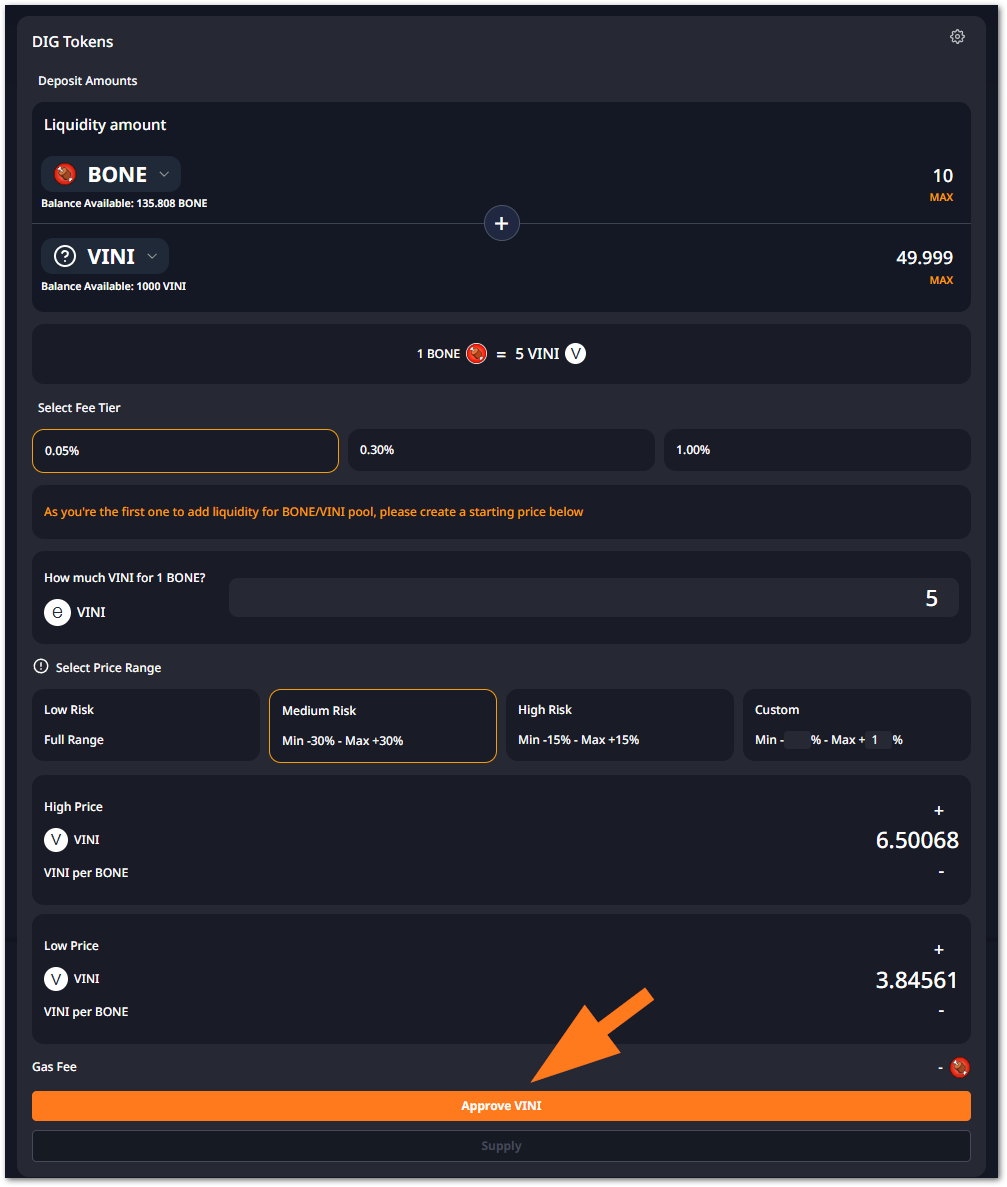
- You can choose now all the Pool parameters, which include adding a starting price, selecting a price range and adjusting it according to its risk level. When those settings are completed, click on Approve
YOUR TOKEN. Follow the instructions on your wallet.
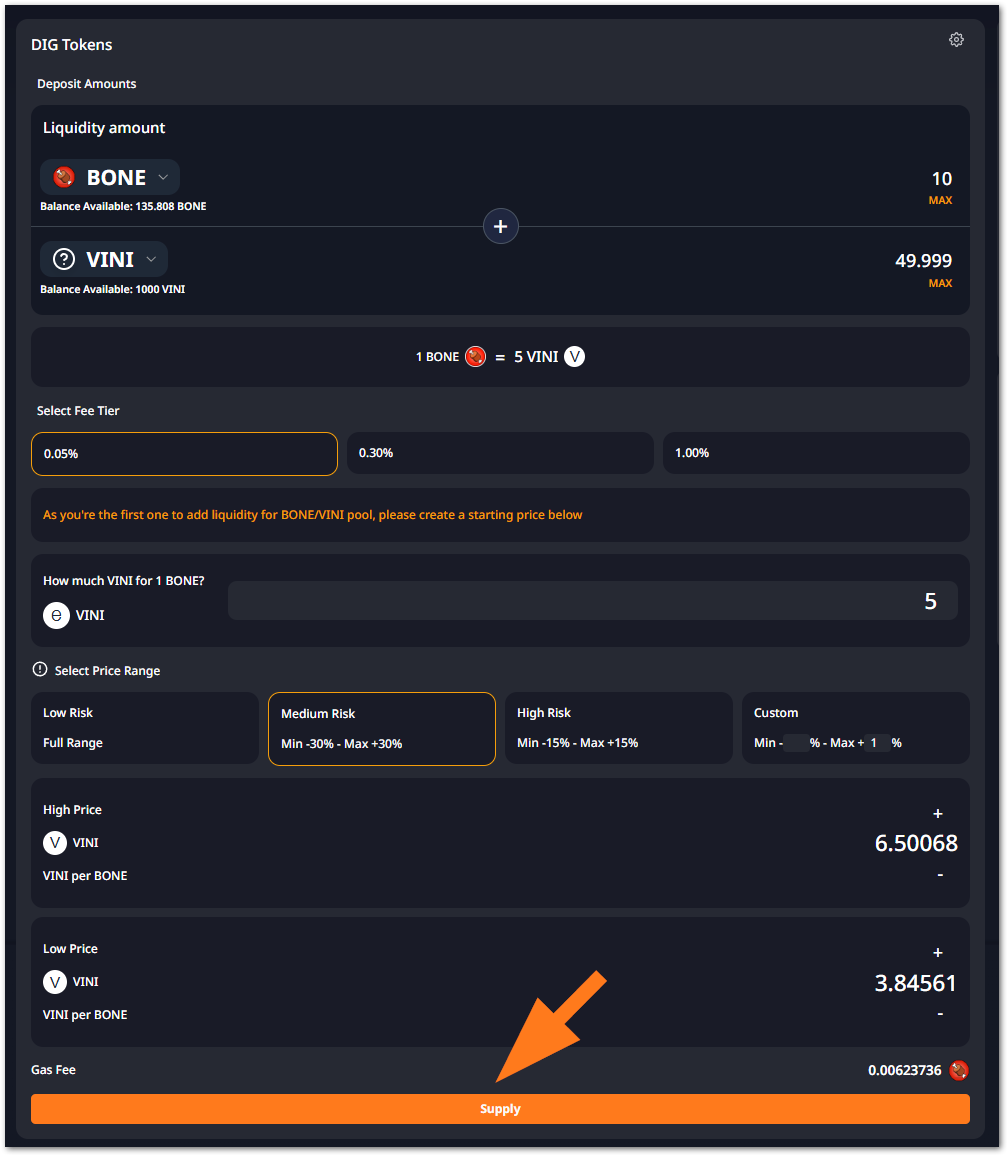
- Supply both tokens to the pool to finally enable the pair.
Check the ammounts:
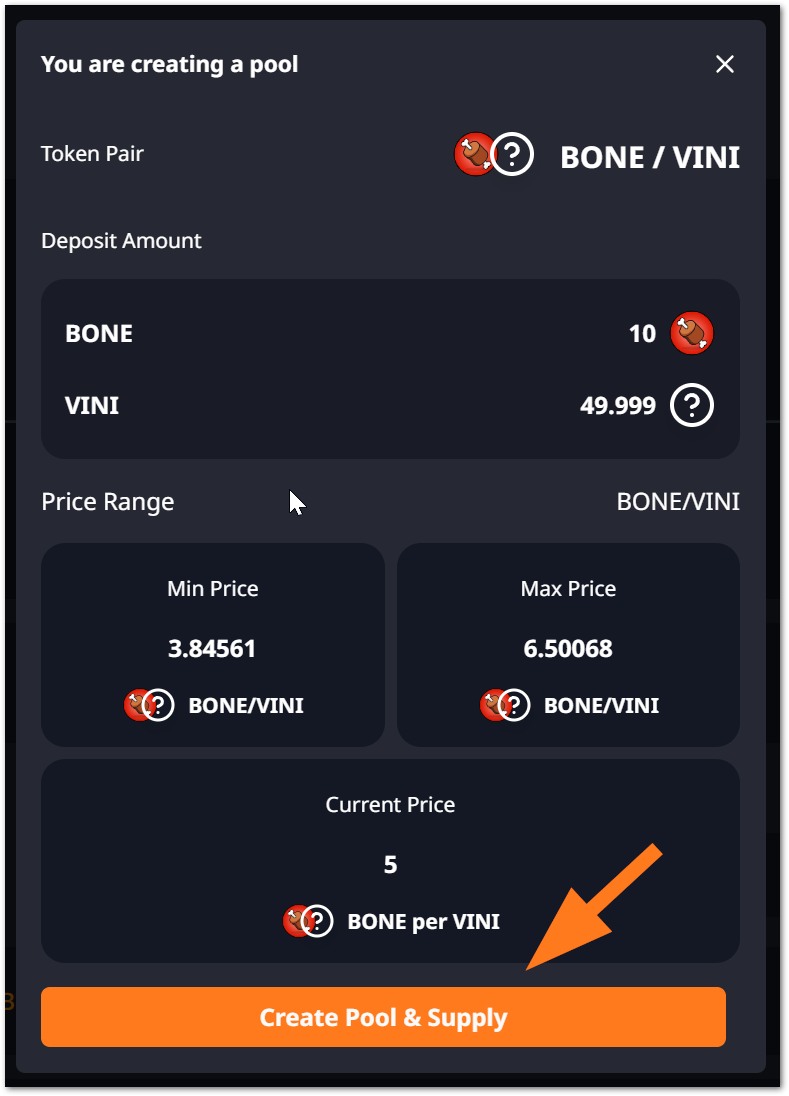
Confirm the transactions on your wallet and your new pair is ready to be traded on ShibaSwap.